
Hotel Smart Locks and PMS Integration: The Audit Trail Is the Product
Ask a hotel project buyer what they want from an electronic lock system and the answer is usually mobile key. Guests skip the front desk, the phone becomes the room key, and the lobby photograph looks modern. Ask the same buyer eighteen months after opening what they use every week and the answer is different: the access log. A guest disputes a minibar charge, a housekeeper is accused of entering a room, a late checkout leaves a credential live, or an incident report needs a timeline. Every one of those is settled by the audit trail, not by the unlock animation.
That is the first counterintuitive point about hotel smart locks: the log is the product. Mobile key is the feature that sells the system; the audit trail is the feature that keeps the operation running. A lock that cannot produce an exportable, timestamped record of who entered, with which credential, and by what method, is a poor choice no matter how good the demo feels.
ENTRAVA has manufactured smart door locks for 11 years. Hotel and serviced-apartment projects sit under the projects and distribution route because this is a multi-party integration job, not a hardware order.
What an audit trail has to contain
“Has access logs” is not a specification. A usable record needs at least:
- a timestamp from a clock that is actually synchronised;
- the door identifier;
- the credential identifier and type (guest card, staff master, PIN, mobile key, mechanical override, emergency);
- the event type (granted, denied, low battery, tamper, door left open, bolt jam);
- the user or staff group behind the credential;
- a way to export it, ideally CSV, with a defined retention period.
Twelve months of retained logs is a common baseline in buying checklists; some operators require longer. Ask where the log lives — on the lock, on a gateway, in the cloud — and what happens if that link is down. A lock that stores only the most recent N events will overwrite the one record you need after a busy weekend.
The synchronisation detail is the one that gets missed. If locks, the PMS and the gateway disagree about the time, the log cannot be correlated with a check-in or a CCTV bookmark. “Who entered room 412 at 14:03” becomes useless if the lock’s clock is eleven minutes slow and drifting. Include clock source and drift behaviour in the commissioning checklist.
There is a privacy dimension too. Where biometric templates are used, confirm they are stored as hashed vectors on the controller rather than raw images, and deleted at checkout. Local data protection rules treat biometrics as sensitive data, and the fines for mishandling them are not a rounding error.
PMS integration is three companies’ work, not one
A surprising number of hotel lock projects stall because everyone assumed someone else owned the interface. The usual split:
- the PMS implementer configures the property management system side, including the licensed interface and any reporting customisation;
- the lock manufacturer supplies the locks, encoders, the lock-side API and the integration documentation;
- the access-control integrator installs and commissions the door hardware, middleware, back-of-house readers and lift interfaces.
A lock vendor who says “we integrate with your PMS” is describing a capability, not a completed scope. Before signing, establish:
- Which PMS, and which exact version. Oracle OPERA (Cloud and on-prem versions behave differently), Mews, Cloudbeds, Protel, Stayntouch and regional systems each have their own interface story. Ask for a live demo against the version the property actually runs, not a generic one.
- Which interface is licensed and who procures it. HTNG / HSI (Hotel System Interface) and modern REST APIs are the common routes; some PMS interfaces require a licence and an authorised implementation partner.
- Who configures the PMS side. Usually the PMS implementer, not the lock factory.
- Who owns the middleware, if mobile key or an offline queue sits between the PMS and the locks.
- Who signs off the end-to-end test: booking → room assignment → credential → check-in activation → checkout revocation → log export.
An honest scope statement is a good sign. A vendor that lists what it does not deliver — PMS database configuration, rate plans, channel manager setup, payment gateway integration — is usually easier to work with than one that says yes to everything and discovers the boundary during go-live.
The credential lifecycle, step by step
The whole system is a state machine, and most field complaints are state transitions that did not happen:
- Booking created, guest identity captured.
- Room assigned in the PMS.
- A room-specific credential is generated, bound to the stay dates.
- The credential is written to the lock database and delivered as an RFID card, a PIN, a mobile key or an enrolled biometric.
- Check-in activates it. Check-out revokes it across every door it opens.
Now the exceptions, which are where the design is tested:
- Early checkout — revocation must be instant, not at the original departure timestamp.
- Room move — the old room credential must die before the new one is issued, and the common-area and lift permissions must follow.
- Lost card — one action should kill the credential everywhere, with a record of the action.
- Late checkout / day-use extension — the validity window must be editable without re-encoding every card.
- No-show and cancelled booking — the credential should never activate.
- Connecting doors and suites — one reservation may need several doors with different rules.
Ask for “one record, one guest”: booking, identity, payment and credential all reference the same guest ID. Where those are separate systems joined manually, the front desk re-keys data and the log stops being trustworthy.
Credential security should be stated in concrete terms: rolling codes or encrypted communication between lock, gateway and PMS, PINs bound to a room and a time window, throttling after failed attempts, and immediate invalidation at checkout. A six-digit PIN bound to a 48-hour window on one room is not a guessable secret in any practical sense. The more useful question is whether the lock still enforces expiry when it is offline.
Offline behaviour matters more than the online feature list
Second counterintuitive point, and the one that separates a hotel lock from a consumer lock: what the lock does with no network is more important than what it does with one.
Hotels lose connectivity. Gateways reboot, switches are replaced, a resort’s outlying villas sit beyond Wi-Fi coverage, and a property may open before the network contractor has finished. A serious system keeps issuing credentials against cached bookings and syncs when the link returns. The lock must continue to honour pre-loaded schedules, staff time zones, expiry timestamps and the audit trail — and it must not discard events that occurred while offline.
Ask these questions before the demo:
- Can a guest who checked in before the outage still open the door?
- Does a checkout processed during the outage revoke the credential on the door when the link returns, and how long is the window of exposure?
- Are offline events buffered with their original timestamps, or stamped with the sync time?
- Can housekeeping and emergency master cards always work regardless of gateway state?
- What is the local credential capacity when several days of bookings are pre-loaded?
An “online” system that becomes a mechanical override exercise during a twenty-minute network outage has not reduced front desk workload. For resorts, serviced apartments and properties with detached buildings, offline-first architecture is often the correct choice even if the cloud dashboard looks less impressive in the pitch.
Mobile key has real limits
Mobile key over BLE or NFC is genuinely useful: no plastic, no card encoding queue, and a branded app that can carry the whole arrival flow. It is also the credential most likely to fail for a specific guest, and that guest is the one standing in the corridor at midnight.
Design for the fallback rather than against it:
- Keep an RFID path. Older guests, guests with a flat phone battery, guests who will not install another app, and corporate travellers on restricted devices all need a card.
- Confirm whether the app supports NFC tap, BLE proximity, or both, and how pairing is handled on a new phone.
- Ask what happens when the guest revokes app permissions, switches phones mid-stay, or has no mobile data at the door.
- Check battery sensitivity. A weak phone battery and a low lock battery together produce an intermittent failure that is almost impossible to reproduce in a support ticket.
- Keep the physical card encoder and a documented lost-card flow at reception. Self check-in reduces card volume; it does not eliminate it.
A sensible specification asks for at least two credential types from RFID card, PIN pad, mobile key and biometrics, with an explicit statement of which ones work offline. Where the property wants a guest-facing branded app, that is a software scope decision to make at the OEM/ODM stage, alongside firmware behaviour and credential rules — not an accessory added after the locks ship.
Staff hierarchy, back-of-house and lift access
Guest doors are a minority of the doors in a hotel. A full scope lists guest rooms, suites, connecting doors, back-of-house entrances, plant rooms, housekeeping stores, kitchens, laundry, finance offices, public toilets and lift lobbies.
The staff master-card hierarchy is where security policy becomes configuration: housekeeping, engineering, security, GM, fire marshal — each with zones and time windows. Housekeeping cards that work only on assigned floors between 08:00 and 17:00 are a different design from a single all-access master card. Confirm:
- how zones and time schedules are edited, and who can edit them;
- whether staff master use appears in the audit trail with a named individual;
- the emergency master procedure and where the card is stored;
- whether lift-access integration is in scope, and which contractor owns the floor-restriction controller;
- how public-area readers and room-status indicators connect back to the PMS.
Lift integration is a classic four-party item — PMS, lock vendor, lift contractor and integrator. Put it in the scope document with an owner even if the answer is “out of scope for this phase”.
Self check-in kiosks inherit every dependency above
A kiosk does four things in sequence: pull the booking, verify identity, take payment, issue a credential. It inherits the PMS version, the interface licence, the credential lifecycle and the offline behaviour — and adds its own list:
- OCR-grade ID or passport MRZ scanning, with any regulatory reporting feed required in that market;
- payment hardware meeting the applicable PCI requirements, with no raw card data stored locally;
- a kiosk that keeps issuing credentials against cached bookings when the internet drops;
- language support, including right-to-left layouts where required;
- a human fallback at 02:00 when the screen fails.
“Guests skip the front desk” is an outcome, not a feature. It only holds if the log, the clock, the revocation path and the offline queue all work. A broken kiosk at 2 am generates a worse first impression than a two-minute queue at a staffed desk.
Batteries and the maintenance schedule nobody budgets
Hotel locks are usually battery powered, commonly 4–8 × AA cells, and quoted battery life ranges widely with usage. What matters operationally is not the number of months but whether the property can see trouble before a guest does:
- low-battery warnings visible at the front desk or in a management console, not only as an LED on the lock;
- a per-door battery status view across the whole property;
- a planned replacement cycle (often annual, before peak season) rather than reactive replacement;
- a jam or retry alert, because a misaligned strike drains cells faster than normal use.
A door survey before ordering is still necessary: door material, thickness, existing prep, backset and handing vary across an older property, and a retrofit that mixes mortise and cylindrical openings needs more than one SKU. The entry door lock category covers the mechanical side; confirm the dimensioned prep drawing per model against the actual door schedule.
Compliance wording and the boundaries of the claim
For an export project the usual checklist asks for test reports, packing lists with HS codes, installation templates for the local door standard and manual language variants. Where a named certification is a handover condition, list the standard and version in the RFQ with a responsible party.
Keep the general wording narrow: compliance is adapted to target-market requirements where applicable. That is not a claim that CE, FCC, RoHS, ANSI/BHMA or any other certificate is held for every model. It is a scoping statement. Certificate packages and project references are handled under NDA where that applies, and no client names, property details or deployment figures are published without agreement.
What to send a factory at enquiry stage
| Input | Example of a usable answer |
| Door count by category | 180 guest rooms, 12 suites, 8 connecting doors, 34 BOH, 3 lift lobbies |
| Door survey | Material, thickness, existing prep, backset, handing, photos per door type |
| PMS | Product, exact version, deployment (cloud / on-prem), named implementation partner |
| Interface | HTNG / HSI / REST, licence owner, who configures the PMS side |
| Credentials | RFID (state card technology), PIN, mobile BLE/NFC, biometrics; offline requirement |
| Self check-in | Kiosk or app, ID capture, payment, language list, human fallback |
| Master hierarchy | Staff groups, zones, time windows, emergency master procedure |
| Audit trail | Fields required, retention period, export format, clock source |
| Online/offline | Gateway architecture, coverage by building, offline booking depth |
| Lift / BOH | In scope or excluded; named contractors |
| Volumes and timing | MOQ, sample or pilot room count, phased delivery, spares allocation |
Ask for a pilot on a small block of rooms before full rollout, with the end-to-end test sequence above run against the real PMS version. It is cheaper to discover a revoked credential that still opens a connecting door on twelve rooms than on two hundred.
What actually decides the purchase
Mobile key is the demo. The decision should rest on the log, the offline behaviour, the interface ownership and the maintenance plan. A system that produces a trustworthy, exportable audit trail, keeps guests moving through a network outage, and makes low batteries visible before a guest notices them will still be working in year five. A system that only demos well will be measured in front-desk call minutes.
If you are scoping a property rather than replacing a few units, start with the projects and distribution route and send the door schedule, the PMS version and the credential requirements with your quote request. If you need to clarify the software scope or the interface boundary first, get in touch before the door hardware is fixed.
More field notes on installation and compatibility are collected in the blog.

Related Posts
-
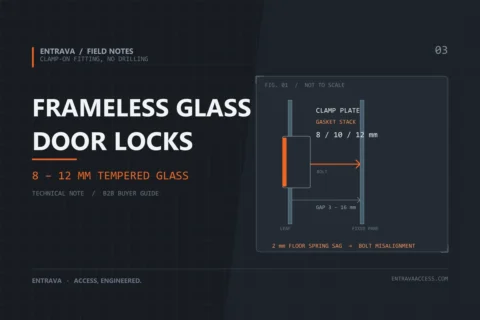
Smart Locks for Frameless Glass Doors: No-Drill Fitting, 8–12 mm Glass, and the Door Gap Nobody Measures
The glass is up, the partitions are signed off, and the client wants an electronic lock on the meeting room. Someone orders a “glass door smart …
-
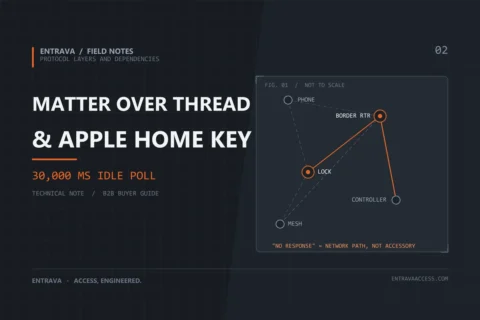
Matter over Thread, Apple Home Key and Aliro: What Actually Changes When You Specify a Smart Lock
Three badges on a box. One says Matter, one says Apple Home Key, one says Aliro. They sit next to each other, they are all about “compatibility&…
-
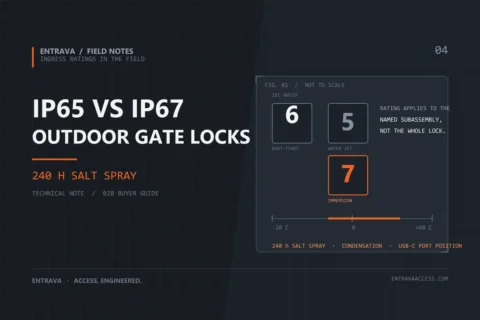
IP65 vs IP67 for Outdoor Gate Locks: Reading the Rating Before It Reads You
An IP67 badge feels like the safest line on a specification. It is the higher number, it says “waterproof”, and it ends the conversation a…
-
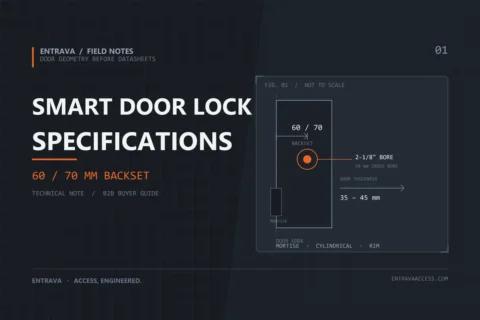
What a Smart Door Lock Specification Sheet Actually Tells You (and What It Quietly Leaves Out)
A two-page PDF arrives from a supplier. It lists a fingerprint sensor, six unlock methods, 4 × AA batteries, “12 months battery life”, an …